
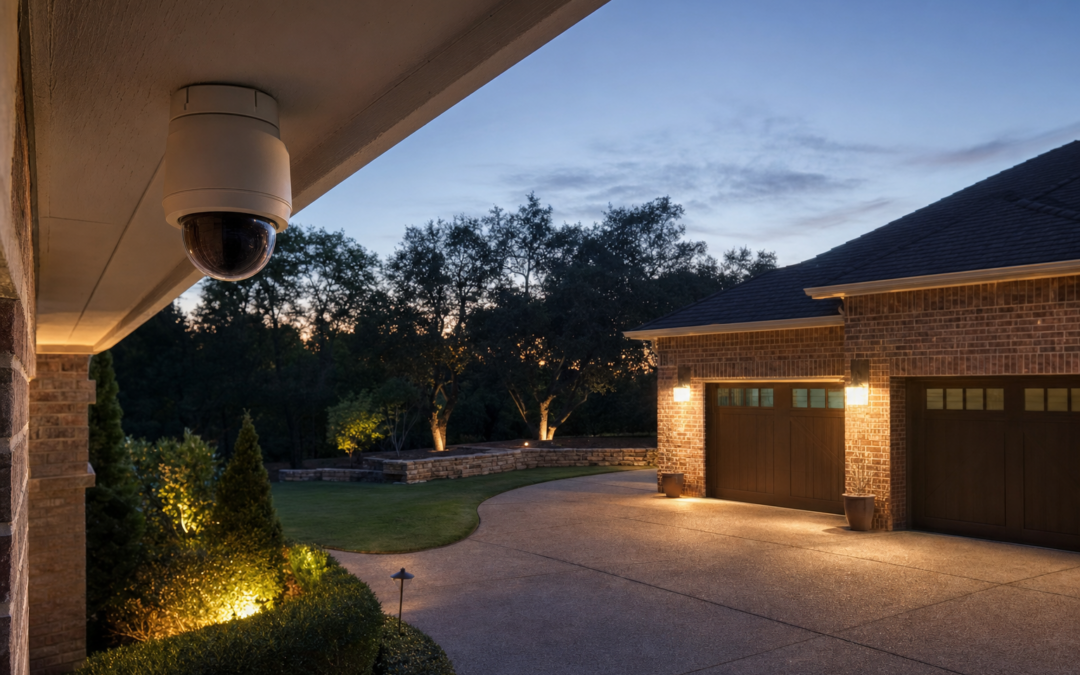
Indoor and outdoor security cameras only help if alerts are trustworthy, night video is readable, and storage matches how you actually review clips. Wireless battery cameras simplify placement; plugged and wired units favor continuous recording and fewer charge cycles. This 2026 guide compares Arlo and Wyze paths, local vs cloud tradeoffs, and power options so you cover doors, yards, and rooms without drowning in false alarms.
See related projects in our Smart Home hub. Porch cameras pair naturally with our video doorbell guide once published in this series, and with lighting control from smart switches and smart bulbs so night scenes are lit on purpose.
Indoor vs Outdoor: Housing and Expectations
Outdoor cameras need weather resistance, thoughtful mounting height, and glare control from sun and porch lights. Indoor cameras prioritize privacy shutters, pet-friendly angles, and quiet status LEDs. Do not leave an indoor-rated camera on a rain-soaked railing and hope the gasket “probably fine.”
Cover entry points first: front door context, back door, garage man-door, and any side yard gate. Bedrooms and bathrooms are privacy hazards—skip them unless you have a specific, consented reason.
- Outdoor: weather sealing, sun vs shade aiming, taller mounts
- Indoor: privacy modes, gentle LEDs, child/pet framing
- Resolution: 1080p to 2K+ for crop room
- Night vision: IR vs color night with spotlights
- Power: battery, USB plug, PoE, or solar assist
Wireless Pro Cameras for Flexible Coverage
Premium wireless lines emphasize quick mounts, magnetic or bracket freedom, and app polish. Battery life depends on motion traffic, video settings, and temperature. Solar panels help sunny elevations; shaded north walls still need charge discipline.
Use activity zones and person detection early. A camera aimed at a busy street will train you to ignore alerts—the opposite of security.

Arlo Pro Wireless Security Camera 2K HDR (6th Gen) — Arlo Pro wireless 2K HDR cameras fit homeowners who want flexible outdoor/indoor placement and richer capture—plan power accessories, base station or sync needs per kit generation, and subscription expectations before you standardize the yard.
Budget Indoor/Outdoor Workhorses
Value cameras bring color night vision and simple apps to more corners of the house. They may rely more on cloud plans or local microSD quirks—read today’s storage options carefully. Build quality and support differ from premium lines; buy with eyes open and firmware update habits ready.
For apartments and first homes, one well-aimed camera at the entry beats four dusty units offline in a drawer.

WYZE Cam OG Indoor/Outdoor Security Camera with Color Night Vision — WYZE Cam OG indoor/outdoor models with color night vision are a practical budget path for extra angles—confirm current weatherproofing guidance, storage plan (cloud vs local), and Wi‑Fi strength at each mount point.
Local vs Cloud Storage
Cloud storage is convenient across phones and survives camera theft if events already uploaded. Local microSD or hub storage can cut fees and keep clips on-premises, but cards fail and thieves can steal the recorder with the camera. Hybrid approaches exist—decide based on risk model, not marketing slogans.
Encrypt accounts with unique passwords and 2FA regardless of storage path. Shared family access should use official invites.
Night Vision and Lighting Strategy
Infrared night vision sees in the dark with monochrome detail; color night modes need some light—either camera spotlights or porch lighting. Spotlights can deter or annoy neighbors; aim carefully. Scheduled soft lighting via smart bulbs or smart switches often looks more natural than a sudden white blast.
Avoid pointing cameras at oscillating lights or reflective windows that create motion storms.
Power Options Compared
Battery units move easily and survive outages until empty. Plugged USB cameras favor indoors and covered outlets. PoE suits serious installs with runs to a switch. Solar assists battery models in sun. Mix thoughtfully: battery at the gate, plugged under the eaves, doorbell at the entry.
Label chargers and keep a spare battery if your system supports hot-swaps. Calendar reminders beat surprise outages the night before travel.
Placement Walkthrough
1. Sketch entry points and Wi‑Fi heat. 2. Mount 7–9 feet high outdoors where reachable with a ladder but hard to grab. 3. Angle to catch faces approaching doors. 4. Set zones excluding trees and streets when possible. 5. Test night mode at 10 p.m. 6. Verify notifications on cellular data, not just home Wi‑Fi. 7. Document serials and mounting screw types for seasonal takedowns.
Mistakes That Create Alert Fatigue
Aiming at foliage. Maximum sensitivity everywhere. No lighting plan. Weak Wi‑Fi causing late or missing events. Skipping privacy shutters indoors. Cloud plan surprises after the free trial. Cameras without doorbell context—add a dedicated entry device when packages matter most.
Habits That Keep Smart Devices Reliable
Update firmware quarterly. Replace camera and doorbell batteries on a calendar, not when the app screams at midnight. Wipe outdoor lenses seasonally so false alerts do not train you to ignore real ones. Clean lenses each season, replace batteries on a schedule, and review shared-user lists after roommates or contractors change.
Twice a year, walk the house: confirm thermostats still call heat and cool, test garage auto-close with the photoelectric sensors unobstructed, and verify backup Wi‑Fi coverage where cameras live. Label breakers that feed transformers and hubs.
Seasonal stress tests matter—summer HVAC demand, winter low batteries, holiday guest networks. Fix flaky 2.4 GHz coverage before you add another battery camera that drops offline every evening.
Safety, Power, and Know-Your-Limits
Kill power at the breaker before you open thermostat, switch, doorbell transformer, or garage controller wiring. Verify with a non-contact tester. Battery cameras and plugs still need safe mounting—ladders on uneven driveways and attic crawl spaces cause more injuries than Wi‑Fi ever will.
Do not defeat safety sensors on garage doors, skip GFCI where code requires it, or overload circuits with daisy-chained power strips feeding hubs and chargers. If you smell burning plastic, see scorched insulation, or your HVAC control board looks unfamiliar, stop and hire a licensed electrician or HVAC technician.
Smart home gear sits on your network. Use unique passwords, keep firmware updated, and segregate IoT devices on a guest or IoT VLAN when your router supports it. Convenience should never mean an unlocked digital front door.
Buying Checklist
- List doors and yards that need coverage first
- Choose battery vs plugged vs PoE per location
- Decide cloud vs local storage budget
- Test Wi‑Fi with a phone video stream at the mount
- Plan night lighting, not only IR
- Standardize on one app ecosystem where practical
- Write down privacy rules for indoor spaces
FAQ: Home Security Cameras
How many cameras do I need?
Start with two entry views; expand only after alerts feel trustworthy.
Are wireless cameras secure?
Use strong unique passwords, 2FA, and timely firmware—no brand removes user responsibility.
Do I need 4K?
2K is enough for most suburban lots; 4K helps large yards and heavy cropping.
Can I use indoor cams outside?
Only if the model is explicitly rated for it—moisture kills electronics quietly.
What about laws?
Avoid filming areas where neighbors have a reasonable expectation of privacy; check local rules on audio recording.
Next Steps
Cover entries with honest night video and sane alerts. Compare Arlo and Wyze options above, then continue with doorbells, thermostats, and garage control in our Smart Home hub.
Improve darkness with intentional lighting—our smart switch and smart bulb guides make porch and path lights part of the security system instead of an afterthought.
Keep a printed card with account recovery emails and device serials in a safe place. When a phone dies mid-travel, that card matters.
Revisit angles each spring when plants grow into frames and each fall when decorations change the porch geometry.
Practical Notes for Best Indoor and Outdoor Security Cameras for Home (2026)
Keep receipts, warranty info, and a phone photo of model numbers in a home maintenance album. When a thermostat, doorbell, camera, or garage controller needs support years later, identity beats guesswork. Schedule a seasonal reminder to update firmware, replace batteries, and confirm Wi‑Fi nodes still cover porches and garages.
If you share the home with guests or renters, label breakers that feed transformers and hubs, and leave a one-page tip sheet: which app controls lights, how to stop a garage door, and when to call an electrician instead of forcing a switch box. Clear instructions prevent panicked mistakes.
Choose listed devices and quality mounts over mystery-bin adapters. Compatibility mistakes and skipped safety sensors cost more than the dollars you save.
Practical Notes for Best Indoor and Outdoor Security Cameras for Home (2026)
Keep receipts, warranty info, and a phone photo of model numbers in a home maintenance album. When a thermostat, doorbell, camera, or garage controller needs support years later, identity beats guesswork. Schedule a seasonal reminder to update firmware, replace batteries, and confirm Wi‑Fi nodes still cover porches and garages.
If you share the home with guests or renters, label breakers that feed transformers and hubs, and leave a one-page tip sheet: which app controls lights, how to stop a garage door, and when to call an electrician instead of forcing a switch box. Clear instructions prevent panicked mistakes.
Choose listed devices and quality mounts over mystery-bin adapters. Compatibility mistakes and skipped safety sensors cost more than the dollars you save.
Practical Notes for Best Indoor and Outdoor Security Cameras for Home (2026)
Keep receipts, warranty info, and a phone photo of model numbers in a home maintenance album. When a thermostat, doorbell, camera, or garage controller needs support years later, identity beats guesswork. Schedule a seasonal reminder to update firmware, replace batteries, and confirm Wi‑Fi nodes still cover porches and garages.
If you share the home with guests or renters, label breakers that feed transformers and hubs, and leave a one-page tip sheet: which app controls lights, how to stop a garage door, and when to call an electrician instead of forcing a switch box. Clear instructions prevent panicked mistakes.
Choose listed devices and quality mounts over mystery-bin adapters. Compatibility mistakes and skipped safety sensors cost more than the dollars you save.
Practical Notes for Best Indoor and Outdoor Security Cameras for Home (2026)
Keep receipts, warranty info, and a phone photo of model numbers in a home maintenance album. When a thermostat, doorbell, camera, or garage controller needs support years later, identity beats guesswork. Schedule a seasonal reminder to update firmware, replace batteries, and confirm Wi‑Fi nodes still cover porches and garages.
If you share the home with guests or renters, label breakers that feed transformers and hubs, and leave a one-page tip sheet: which app controls lights, how to stop a garage door, and when to call an electrician instead of forcing a switch box. Clear instructions prevent panicked mistakes.
Choose listed devices and quality mounts over mystery-bin adapters. Compatibility mistakes and skipped safety sensors cost more than the dollars you save.
Practical Notes for Best Indoor and Outdoor Security Cameras for Home (2026)
Keep receipts, warranty info, and a phone photo of model numbers in a home maintenance album. When a thermostat, doorbell, camera, or garage controller needs support years later, identity beats guesswork. Schedule a seasonal reminder to update firmware, replace batteries, and confirm Wi‑Fi nodes still cover porches and garages.
If you share the home with guests or renters, label breakers that feed transformers and hubs, and leave a one-page tip sheet: which app controls lights, how to stop a garage door, and when to call an electrician instead of forcing a switch box. Clear instructions prevent panicked mistakes.
Choose listed devices and quality mounts over mystery-bin adapters. Compatibility mistakes and skipped safety sensors cost more than the dollars you save.
Practical Notes for Best Indoor and Outdoor Security Cameras for Home (2026)
Keep receipts, warranty info, and a phone photo of model numbers in a home maintenance album. When a thermostat, doorbell, camera, or garage controller needs support years later, identity beats guesswork. Schedule a seasonal reminder to update firmware, replace batteries, and confirm Wi‑Fi nodes still cover porches and garages.
If you share the home with guests or renters, label breakers that feed transformers and hubs, and leave a one-page tip sheet: which app controls lights, how to stop a garage door, and when to call an electrician instead of forcing a switch box. Clear instructions prevent panicked mistakes.
Choose listed devices and quality mounts over mystery-bin adapters. Compatibility mistakes and skipped safety sensors cost more than the dollars you save.
Practical Notes for Best Indoor and Outdoor Security Cameras for Home (2026)
Keep receipts, warranty info, and a phone photo of model numbers in a home maintenance album. When a thermostat, doorbell, camera, or garage controller needs support years later, identity beats guesswork. Schedule a seasonal reminder to update firmware, replace batteries, and confirm Wi‑Fi nodes still cover porches and garages.
If you share the home with guests or renters, label breakers that feed transformers and hubs, and leave a one-page tip sheet: which app controls lights, how to stop a garage door, and when to call an electrician instead of forcing a switch box. Clear instructions prevent panicked mistakes.
Choose listed devices and quality mounts over mystery-bin adapters. Compatibility mistakes and skipped safety sensors cost more than the dollars you save.
Practical Notes for Best Indoor and Outdoor Security Cameras for Home (2026)
Keep receipts, warranty info, and a phone photo of model numbers in a home maintenance album. When a thermostat, doorbell, camera, or garage controller needs support years later, identity beats guesswork. Schedule a seasonal reminder to update firmware, replace batteries, and confirm Wi‑Fi nodes still cover porches and garages.
If you share the home with guests or renters, label breakers that feed transformers and hubs, and leave a one-page tip sheet: which app controls lights, how to stop a garage door, and when to call an electrician instead of forcing a switch box. Clear instructions prevent panicked mistakes.
Choose listed devices and quality mounts over mystery-bin adapters. Compatibility mistakes and skipped safety sensors cost more than the dollars you save.
Practical Notes for Best Indoor and Outdoor Security Cameras for Home (2026)
Keep receipts, warranty info, and a phone photo of model numbers in a home maintenance album. When a thermostat, doorbell, camera, or garage controller needs support years later, identity beats guesswork. Schedule a seasonal reminder to update firmware, replace batteries, and confirm Wi‑Fi nodes still cover porches and garages.
If you share the home with guests or renters, label breakers that feed transformers and hubs, and leave a one-page tip sheet: which app controls lights, how to stop a garage door, and when to call an electrician instead of forcing a switch box. Clear instructions prevent panicked mistakes.
Choose listed devices and quality mounts over mystery-bin adapters. Compatibility mistakes and skipped safety sensors cost more than the dollars you save.