
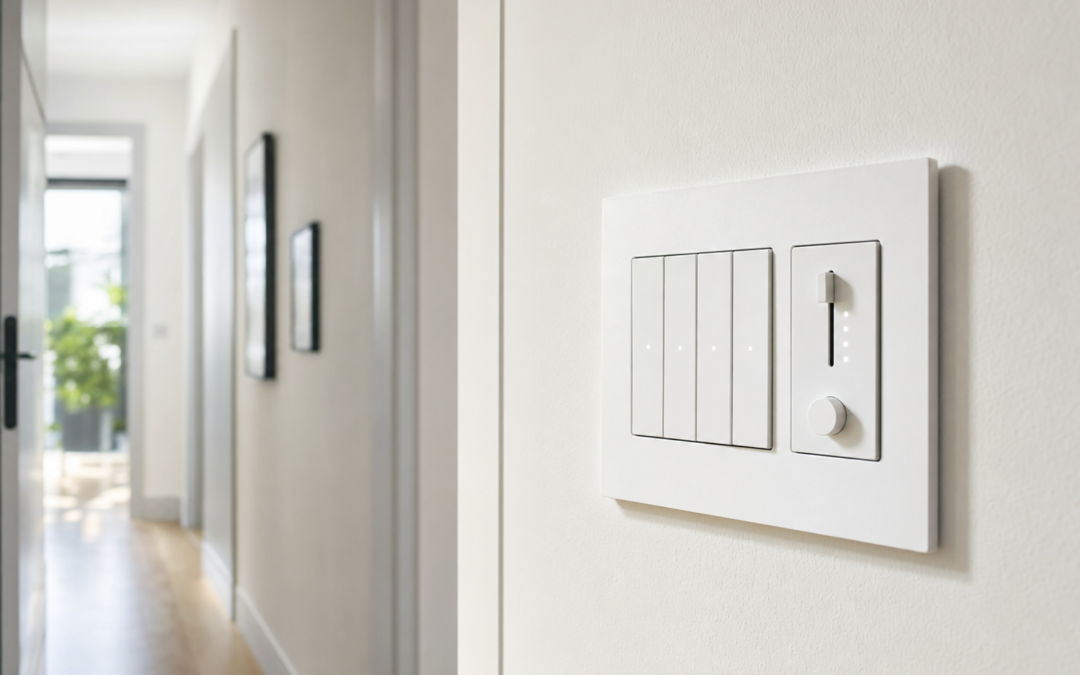
Smart light switches turn ordinary wall controls into schedules, voice commands, and away-from-home lighting—without replacing every bulb in the house. The catch is wiring: neutrals, multi-way travelers, dimmable loads, and hubs versus Wi-Fi all change which model will actually work in your box. This 2026 homeowner guide compares practical options and install habits so you upgrade the wall, not your stress level.
Browse related projects in our Electrical hub. Here we focus on single-pole and companion smart switches, dimmers, hub ecosystems, and the safety steps that belong in every electrical DIY session.
Decide Wire Reality Before You Fall in Love With an App
Open the switch box with the breaker off and inspect conductors. Many smart switches need a neutral (typically a bundled white group in the box). Older switch loops may only show a hot and a switched hot—no neutral—which eliminates a large share of Wi-Fi models unless you choose a no-neutral design or rewire.
Count the switches that control the same light. A single switch is single-pole. Two or three locations need a smart primary plus companion/add-on devices that speak the same system language. Mixing brands across a three-way circuit is a classic failure mode.
- Neutral present? Opens the most Wi-Fi choices
- Multi-way? Buy matching companions, not random remotes
- Load type: LED, CFL, MLV/ELV, fans—check dimmer compatibility
- Box depth: smart devices are thicker; shallow boxes need pigtails or a deeper box
- Hub vs Wi-Fi: reliability and local control versus simpler app setup
Hub Ecosystems Versus Direct Wi-Fi
Wi-Fi switches talk to your router and phone app with no extra bridge. They are easy to start with and fine for a handful of devices. As you add dozens of smart endpoints, 2.4 GHz congestion and cloud outages become more noticeable.
Hub-based systems (for example Caséta-style bridges) keep lighting control on a dedicated radio. Response feels snappy, and some scenes keep working even when the internet drops. The tradeoff is buying a hub and staying inside that accessory ecosystem for companions and Pico-style remotes.
Neither path is universally “better.” Choose hub reliability if lighting is central to daily routines; choose Wi-Fi if you want two switches online this weekend with minimal kits.

Kasa Smart Light Switch, Single Pole, Need Neutral Wire, HS200 — A neutral-required Wi-Fi single-pole smart switch is a straightforward upgrade when your box already has a neutral bundle and you want app plus voice control without a separate hub. Confirm LED compatibility and keep a regular switch nearby as a backup during setup.
Dimmers, LEDs, and Why Buzzing Happens
Not every LED bulb loves every dimmer. Look for LED-rated smart dimmers, stay within the published wattage range, and prefer bulbs labeled dimmable. Buzzing, flickering at low levels, or ghost glow usually means a mismatch—not a “defective house.”
If you dim a mixed load (cans plus a fan, or a receptacle circuit), stop. Fans and non-dimmable loads need appropriate controls. When in doubt, keep the smart device as an on/off switch and put dimming in the bulb instead.

Lutron Caseta Diva Smart Dimmer Switch (Smart Hub Required) — A hub-required smart dimmer shines when you want reliable multi-location control and polished fade behavior with compatible LEDs. Plan for the hub purchase and matching companions on multi-way stairs or long hallways.
Wire-Free and Companion Strategies
Some dimmers and switches advertise wire-free or Bluetooth setup paths that reduce cloud dependence for basic control. Others use battery companions that mount over existing switches—useful in rentals, but always follow the product’s mechanical limits and never cover a device in a way that traps heat unsafely.
True multi-way companions that replace traveler wiring remain the cleanest look. Battery remotes are flexible for lamps and awkward openings where pulling cable is unrealistic.

GE CYNC Smart Dimmer Switch, Wire-Free Bluetooth, White — A wire-free Bluetooth smart dimmer can simplify setup for homeowners who want phone control without building a full hub stack. Verify whether your lighting load and wall box wiring match the install diagram before you discard the old dimmer.

Leviton Decora Smart Switch Anywhere Companion — An anywhere companion is the piece that makes multi-location smart switching feel like a normal three-way—without leaving a dead paddle on the far end of the hall. Pair it only with the matching primary switch family.
Install Outline That Respects the Breaker
Turn off the breaker and tape a note on the panel. Verify dead with a tester. Photograph every conductor before disconnecting. Note line versus load if markings exist; when unclear, use a tester carefully after a controlled restore—or hire help rather than guessing.
Pigtail grounds and neutrals neatly. Cap unused wires. Seat the device without crushing conductors against the box edge. Restore power and test from the wall, the app, and any companion. If a breaker trips immediately, shut off and recheck line/load orientation and bare copper shorts.
For aluminum branch wiring, special connectors and practices apply—this is a strong hire-an-electrician moment in many homes.
Mistakes That Cause Callbacks
Buying before opening the box leads to returns when neutrals are missing. Mixing companion brands leaves half the hallway dumb. Overloading dimmers with too many LED drivers causes flicker. Stuffing deep smart devices into pancake boxes damages insulation. Skipping testing leaves a switch that only works from the app until the Wi-Fi hiccups.
Habits That Keep Electrical Upgrades Reliable
Once a quarter, test GFCI and AFCI devices with their built-in buttons and confirm protected outlets still trip correctly. Replace any device that will not reset or that trips with no load—do not tape over a problem. Smart switches especially benefit from a quick firmware check after major phone OS updates and from confirming schedules still match sunrise changes twice a year.
Label breakers as you learn them. Photograph the panel directory after changes. Keep spare outlet testers, wire nuts, and a headlamp in a small kit so future work is safer and faster. Dust and heat shorten device life; leave ventilation space around dimmers and smart switches that run warm.
Seasonal storms are a good reminder to unplug sensitive electronics and confirm outdoor covers and weatherproof in-use lids still seal. A five-minute walk-through beats replacing water-damaged receptacles later.
Safety, Codes, and Know-Your-Limits
Turn off the correct breaker and verify the circuit is dead with a non-contact tester and an outlet tester before you touch wires. Lock the panel door or leave a note so nobody restores power while you work. If anything about the panel, bus bars, or main breaker feels unfamiliar, hire a licensed electrician—panel work is not a casual DIY project.
Match device ratings to the circuit (amps and voltage). Use the wire nuts or lever connectors specified for your conductor size. Do not force oversized devices into shallow boxes; pigtail and use a deeper box when needed. Local codes and permits matter for new circuits, kitchen/bath rewires, and outdoor work.
Stop and call a pro if you find aluminum branch wiring you were not expecting, burned insulation, melted devices, shared neutrals you cannot map, or a panel with no clear labeling. Guessing around live parts is how shocks and house fires start.
Buying Checklist
- Confirm neutral, multi-way needs, and box depth
- Choose hub vs Wi-Fi for the number of devices you plan
- Match dimmers to LED wattage and bulb type
- Budget companions and any required hub
- Have a non-contact tester and outlet tester on hand
- Plan a licensed electrician for panel or unfamiliar wiring
FAQ: Smart Light Switches
Do I always need a neutral?
Many popular Wi-Fi switches do. Some designs avoid it—read the listing and inspect your box.
Will smart switches work in a power outage?
The mechanical paddle often still toggles locally once power returns; cloud features need network restoration. Hub systems vary—check local control claims.
Can I use them with metal wall plates?
Usually yes, but keep Wi-Fi/RF modules from being fully shielded in ways the maker warns against. Follow torque and plate instructions.
When should I hire an electrician?
Unclear line/load, multi-wire branches, aluminum wiring, crowded panels, or any discomfort working near live verification steps.
Next Steps
Open the box, map the circuit, then choose a switch family that matches your wiring—not just the prettiest app screenshots. Compare the options above and explore more guidance in our Electrical hub. The best smart switch disappears into daily muscle memory: paddle feels normal, lights behave, and you never fight the network to walk upstairs.
Start with one high-traffic room before converting the whole house. Document what you installed. Keep the old switches labeled in a bag for a day in case you need a quick rollback while you sort configuration.
If renters or guests use the home, leave a one-line note: which paddle is smart, and that schedules may turn lights off at night. Clear expectations prevent “broken switch” service calls.
Practical Notes for Best Smart Light Switches for Homeowners (2026)
Keep receipts, warranty info, and a phone photo of model numbers in a home maintenance album. When a device fails years later, identity beats guesswork. Schedule a seasonal reminder to retest GFCIs, confirm breaker labels, and check that outdoor covers still seal after storms.
If you share the home with guests or renters, label the panel clearly and leave a one-page tip sheet in a kitchen drawer: how to shut off power, which receptacles are GFCI-protected, and when to call an electrician instead of resetting forever. Clear instructions prevent panicked mistakes.
Choose listed devices and fresh connectors over mystery bin parts. Compatibility mistakes and reused scorched wire nuts cost more time than the dollars you save.
Practical Notes for Best Smart Light Switches for Homeowners (2026)
Keep receipts, warranty info, and a phone photo of model numbers in a home maintenance album. When a device fails years later, identity beats guesswork. Schedule a seasonal reminder to retest GFCIs, confirm breaker labels, and check that outdoor covers still seal after storms.
If you share the home with guests or renters, label the panel clearly and leave a one-page tip sheet in a kitchen drawer: how to shut off power, which receptacles are GFCI-protected, and when to call an electrician instead of resetting forever. Clear instructions prevent panicked mistakes.
Choose listed devices and fresh connectors over mystery bin parts. Compatibility mistakes and reused scorched wire nuts cost more time than the dollars you save.
Practical Notes for Best Smart Light Switches for Homeowners (2026)
Keep receipts, warranty info, and a phone photo of model numbers in a home maintenance album. When a device fails years later, identity beats guesswork. Schedule a seasonal reminder to retest GFCIs, confirm breaker labels, and check that outdoor covers still seal after storms.
If you share the home with guests or renters, label the panel clearly and leave a one-page tip sheet in a kitchen drawer: how to shut off power, which receptacles are GFCI-protected, and when to call an electrician instead of resetting forever. Clear instructions prevent panicked mistakes.
Choose listed devices and fresh connectors over mystery bin parts. Compatibility mistakes and reused scorched wire nuts cost more time than the dollars you save.
Practical Notes for Best Smart Light Switches for Homeowners (2026)
Keep receipts, warranty info, and a phone photo of model numbers in a home maintenance album. When a device fails years later, identity beats guesswork. Schedule a seasonal reminder to retest GFCIs, confirm breaker labels, and check that outdoor covers still seal after storms.
If you share the home with guests or renters, label the panel clearly and leave a one-page tip sheet in a kitchen drawer: how to shut off power, which receptacles are GFCI-protected, and when to call an electrician instead of resetting forever. Clear instructions prevent panicked mistakes.
Choose listed devices and fresh connectors over mystery bin parts. Compatibility mistakes and reused scorched wire nuts cost more time than the dollars you save.
Practical Notes for Best Smart Light Switches for Homeowners (2026)
Keep receipts, warranty info, and a phone photo of model numbers in a home maintenance album. When a device fails years later, identity beats guesswork. Schedule a seasonal reminder to retest GFCIs, confirm breaker labels, and check that outdoor covers still seal after storms.
If you share the home with guests or renters, label the panel clearly and leave a one-page tip sheet in a kitchen drawer: how to shut off power, which receptacles are GFCI-protected, and when to call an electrician instead of resetting forever. Clear instructions prevent panicked mistakes.
Choose listed devices and fresh connectors over mystery bin parts. Compatibility mistakes and reused scorched wire nuts cost more time than the dollars you save.
Practical Notes for Best Smart Light Switches for Homeowners (2026)
Keep receipts, warranty info, and a phone photo of model numbers in a home maintenance album. When a device fails years later, identity beats guesswork. Schedule a seasonal reminder to retest GFCIs, confirm breaker labels, and check that outdoor covers still seal after storms.
If you share the home with guests or renters, label the panel clearly and leave a one-page tip sheet in a kitchen drawer: how to shut off power, which receptacles are GFCI-protected, and when to call an electrician instead of resetting forever. Clear instructions prevent panicked mistakes.
Choose listed devices and fresh connectors over mystery bin parts. Compatibility mistakes and reused scorched wire nuts cost more time than the dollars you save.
Practical Notes for Best Smart Light Switches for Homeowners (2026)
Keep receipts, warranty info, and a phone photo of model numbers in a home maintenance album. When a device fails years later, identity beats guesswork. Schedule a seasonal reminder to retest GFCIs, confirm breaker labels, and check that outdoor covers still seal after storms.
If you share the home with guests or renters, label the panel clearly and leave a one-page tip sheet in a kitchen drawer: how to shut off power, which receptacles are GFCI-protected, and when to call an electrician instead of resetting forever. Clear instructions prevent panicked mistakes.
Choose listed devices and fresh connectors over mystery bin parts. Compatibility mistakes and reused scorched wire nuts cost more time than the dollars you save.
Practical Notes for Best Smart Light Switches for Homeowners (2026)
Keep receipts, warranty info, and a phone photo of model numbers in a home maintenance album. When a device fails years later, identity beats guesswork. Schedule a seasonal reminder to retest GFCIs, confirm breaker labels, and check that outdoor covers still seal after storms.
If you share the home with guests or renters, label the panel clearly and leave a one-page tip sheet in a kitchen drawer: how to shut off power, which receptacles are GFCI-protected, and when to call an electrician instead of resetting forever. Clear instructions prevent panicked mistakes.
Choose listed devices and fresh connectors over mystery bin parts. Compatibility mistakes and reused scorched wire nuts cost more time than the dollars you save.