
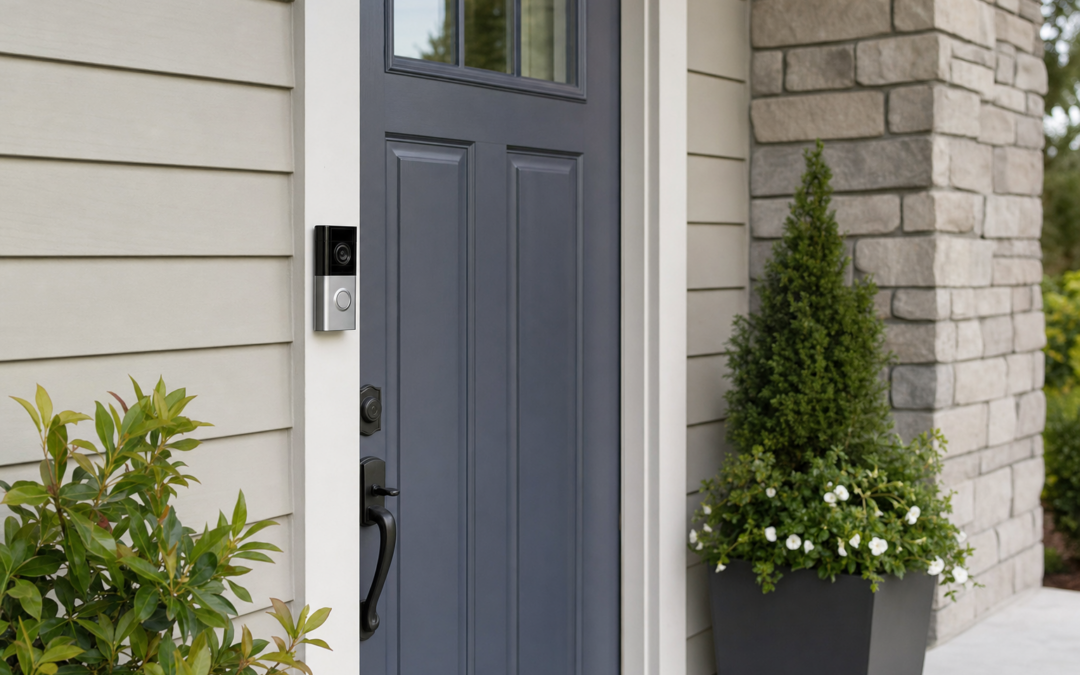
A video doorbell turns the front porch into a monitored threshold: packages, guests, and unexpected visitors show up on your phone with motion alerts and two‑way talk. Battery models simplify installs on wood and masonry; wired models favor continuous power and often richer video features. This 2026 guide compares Nest and Ring paths, resolution, chimes, subscriptions, and Wi‑Fi realities so you pick hardware that matches your door frame—not just a showroom thumbnail.
Explore more connected projects in our Smart Home hub. Pair porch coverage with interior lighting habits from our smart bulbs starter kit guide, and keep pathway lights on schedules via smart switches so cameras see faces instead of silhouettes.
Battery vs Wired: Power Is the First Decision
Battery doorbells mount with screws or adhesive wedges, charge on a schedule, and suit renters or doors without existing doorbell wiring. Wired units tap the transformer and chime circuit for fewer charge cycles and features that assume constant power. Hybrid models accept both—wired daily, battery as backup.
Measure your existing transformer voltage and chime type before you assume “wired is easy.” Undersized transformers cause random reboots. Mechanical chimes may need a power kit; digital chimes vary by brand.
- Battery: flexible mount, charge planning, great for rentals
- Wired: steady power, fewer battery nights, chime integration work
- Resolution: 1080p to 4K—headroom helps crop and identify
- Field of view: packages at feet vs faces at eye level
- HDR and night: porch lights still matter
Video Quality, Packages, and False Alerts
Higher resolution helps when you need to read a label or recognize a face at the sidewalk. It also eats upload bandwidth and storage. Package detection and person alerts reduce “tree waving” fatigue—tune activity zones so the street traffic lane is excluded when possible.
Mount height and wedge angles decide whether you see faces or hat brims. A slight downward tilt catches packages; too low invites tampering. Test on a laptop livestream before you seal screw holes with caulk.

Google Nest Doorbell (Battery) — Google Nest Doorbell (Battery) is a flexible pick when you want solid Nest app alerts without committing to doorbell wiring on day one—plan charging cadence and confirm wedge angles for your door’s height and sidelight layout.
Wired 4K Ambitions and Chime Reality
Wired pro models push higher resolution and richer feature sets for households that already have doorbell transformers in good shape. Expect more setup steps: power kit, chime compatibility, and sometimes an indoor chime bypass. The payoff is fewer “battery low” interruptions during busy seasons.
If your transformer is ancient or shared oddly with other loads, budget an electrician to upgrade it. Smart doorbell returns often trace to power, not “bad Wi‑Fi” alone.

Ring Wired Doorbell 4K Pro (Newest Model) — Ring Wired Doorbell 4K Pro suits doorways with healthy transformers and owners who want maximum detail in the Ring ecosystem—verify chime compatibility, power kit needs, and whether a Ring Protect plan fits your storage expectations.
Subscriptions, Local Storage, and Privacy Tradeoffs
Many brands gate event video history behind subscriptions. Free tiers may offer live view only. Decide whether cloud history is worth the monthly fee before you standardize a whole camera fleet on one app. Some ecosystems offer limited local options; read current plan charts—they change.
Use unique account passwords and two‑factor authentication. Share guest access carefully with family; revoke when contractors finish. Point the camera to your porch, not into a neighbor’s bedroom window—good fences and good aim make good neighbors.
Wi‑Fi Strength at the Door
Doorbells live at the fringe of mesh networks—brick, metal doors, and foil-faced insulation block signals. Stand at the porch with your phone on the same SSID the doorbell will use; if streaming video already buffers, fix coverage with a mesh node or better channel plan before blaming the device.
Prefer a stable 2.4 GHz IoT network with a clear name. During setup, keep the phone close to the doorbell. Afterward, test notifications with someone walking up while you watch latency indoors.
Install Sequence That Survives Weather
1. Check Wi‑Fi at the door. 2. For wired units, kill breaker power to the transformer and verify with a tester. 3. Remove the old button; label wires. 4. Install mount and wedge; level carefully. 5. Connect power or seat the battery. 6. Complete app setup; set zones and chime options. 7. Caulk top and sides against water intrusion—leave the bottom edge able to drain. 8. Test ding, talk, and night video.
On rental doors, prefer battery mounts that minimize irreversible holes; keep the original button and screws bagged for move-out.
Lighting Makes Cameras Honest
Even great sensors struggle with pitch-black porches or blinding bare bulbs beside the lens. Soft, even porch lighting improves faces and reduces motion noise. Smart bulbs or switches on porch circuits let you schedule light for delivery windows—see our smart bulbs guide and smart switch comparisons for practical lighting control that supports security gear.
Mistakes That Cause Returns
Ignoring transformer size on wired units. Mounting without a wedge on deep trim so you only see sky. Skipping activity zones until alert fatigue sets in. Assuming free cloud history forever. Weak porch Wi‑Fi. Caulking the drainage path shut so water sits in the housing.
Habits That Keep Smart Devices Reliable
Update firmware quarterly. Replace camera and doorbell batteries on a calendar, not when the app screams at midnight. Wipe outdoor lenses seasonally so false alerts do not train you to ignore real ones. Wipe the lens monthly, recharge batteries before trips, and re-check notification permissions after phone OS updates.
Twice a year, walk the house: confirm thermostats still call heat and cool, test garage auto-close with the photoelectric sensors unobstructed, and verify backup Wi‑Fi coverage where cameras live. Label breakers that feed transformers and hubs.
Seasonal stress tests matter—summer HVAC demand, winter low batteries, holiday guest networks. Fix flaky 2.4 GHz coverage before you add another battery camera that drops offline every evening.
Safety, Power, and Know-Your-Limits
Kill power at the breaker before you open thermostat, switch, doorbell transformer, or garage controller wiring. Verify with a non-contact tester. Battery cameras and plugs still need safe mounting—ladders on uneven driveways and attic crawl spaces cause more injuries than Wi‑Fi ever will.
Do not defeat safety sensors on garage doors, skip GFCI where code requires it, or overload circuits with daisy-chained power strips feeding hubs and chargers. If you smell burning plastic, see scorched insulation, or your HVAC control board looks unfamiliar, stop and hire a licensed electrician or HVAC technician.
Smart home gear sits on your network. Use unique passwords, keep firmware updated, and segregate IoT devices on a guest or IoT VLAN when your router supports it. Convenience should never mean an unlocked digital front door.
Buying Checklist
- Decide battery vs wired vs hybrid
- Measure transformer and chime compatibility if wired
- Test Wi‑Fi streaming quality at the door
- Plan mount height, wedge, and package view
- Budget for subscription video history if required
- Align ecosystem with existing phones and cameras
- Improve porch lighting for night clarity
FAQ: Video Doorbells
Will a battery doorbell survive winter?
Cold reduces battery runtime—charge more often or wire it if winters are harsh.
Do I need a subscription?
For most brands, yes if you want saved event video; live view may be free.
Can I keep my mechanical chime?
Often yes with a power kit—follow the brand’s chime matrix.
What resolution do I need?
1080p suffices for many porches; 2K–4K helps with large yards and digital zoom.
Is professional install worth it?
Yes when transformers need upgrades or masonry mounting is unfamiliar.
Next Steps
Choose power path first, then ecosystem and subscription comfort. Compare Nest battery and Ring wired options above, then expand coverage with cameras and garage controls in our Smart Home hub.
Keep the old doorbell button until the new unit survives a week of deliveries. Save transformer specs and chime model numbers.
Finish the approach with lighting you control: smart switches for hardwired porch lights and smart bulbs for lamps that cameras rely on after dusk.
Share access with household members using official app invites, not password texts, and revisit zones each season as plants grow into the frame.
Practical Notes for Best Video Doorbells for Front-Door Security (2026)
Keep receipts, warranty info, and a phone photo of model numbers in a home maintenance album. When a thermostat, doorbell, camera, or garage controller needs support years later, identity beats guesswork. Schedule a seasonal reminder to update firmware, replace batteries, and confirm Wi‑Fi nodes still cover porches and garages.
If you share the home with guests or renters, label breakers that feed transformers and hubs, and leave a one-page tip sheet: which app controls lights, how to stop a garage door, and when to call an electrician instead of forcing a switch box. Clear instructions prevent panicked mistakes.
Choose listed devices and quality mounts over mystery-bin adapters. Compatibility mistakes and skipped safety sensors cost more than the dollars you save.
Practical Notes for Best Video Doorbells for Front-Door Security (2026)
Keep receipts, warranty info, and a phone photo of model numbers in a home maintenance album. When a thermostat, doorbell, camera, or garage controller needs support years later, identity beats guesswork. Schedule a seasonal reminder to update firmware, replace batteries, and confirm Wi‑Fi nodes still cover porches and garages.
If you share the home with guests or renters, label breakers that feed transformers and hubs, and leave a one-page tip sheet: which app controls lights, how to stop a garage door, and when to call an electrician instead of forcing a switch box. Clear instructions prevent panicked mistakes.
Choose listed devices and quality mounts over mystery-bin adapters. Compatibility mistakes and skipped safety sensors cost more than the dollars you save.
Practical Notes for Best Video Doorbells for Front-Door Security (2026)
Keep receipts, warranty info, and a phone photo of model numbers in a home maintenance album. When a thermostat, doorbell, camera, or garage controller needs support years later, identity beats guesswork. Schedule a seasonal reminder to update firmware, replace batteries, and confirm Wi‑Fi nodes still cover porches and garages.
If you share the home with guests or renters, label breakers that feed transformers and hubs, and leave a one-page tip sheet: which app controls lights, how to stop a garage door, and when to call an electrician instead of forcing a switch box. Clear instructions prevent panicked mistakes.
Choose listed devices and quality mounts over mystery-bin adapters. Compatibility mistakes and skipped safety sensors cost more than the dollars you save.
Practical Notes for Best Video Doorbells for Front-Door Security (2026)
Keep receipts, warranty info, and a phone photo of model numbers in a home maintenance album. When a thermostat, doorbell, camera, or garage controller needs support years later, identity beats guesswork. Schedule a seasonal reminder to update firmware, replace batteries, and confirm Wi‑Fi nodes still cover porches and garages.
If you share the home with guests or renters, label breakers that feed transformers and hubs, and leave a one-page tip sheet: which app controls lights, how to stop a garage door, and when to call an electrician instead of forcing a switch box. Clear instructions prevent panicked mistakes.
Choose listed devices and quality mounts over mystery-bin adapters. Compatibility mistakes and skipped safety sensors cost more than the dollars you save.
Practical Notes for Best Video Doorbells for Front-Door Security (2026)
Keep receipts, warranty info, and a phone photo of model numbers in a home maintenance album. When a thermostat, doorbell, camera, or garage controller needs support years later, identity beats guesswork. Schedule a seasonal reminder to update firmware, replace batteries, and confirm Wi‑Fi nodes still cover porches and garages.
If you share the home with guests or renters, label breakers that feed transformers and hubs, and leave a one-page tip sheet: which app controls lights, how to stop a garage door, and when to call an electrician instead of forcing a switch box. Clear instructions prevent panicked mistakes.
Choose listed devices and quality mounts over mystery-bin adapters. Compatibility mistakes and skipped safety sensors cost more than the dollars you save.
Practical Notes for Best Video Doorbells for Front-Door Security (2026)
Keep receipts, warranty info, and a phone photo of model numbers in a home maintenance album. When a thermostat, doorbell, camera, or garage controller needs support years later, identity beats guesswork. Schedule a seasonal reminder to update firmware, replace batteries, and confirm Wi‑Fi nodes still cover porches and garages.
If you share the home with guests or renters, label breakers that feed transformers and hubs, and leave a one-page tip sheet: which app controls lights, how to stop a garage door, and when to call an electrician instead of forcing a switch box. Clear instructions prevent panicked mistakes.
Choose listed devices and quality mounts over mystery-bin adapters. Compatibility mistakes and skipped safety sensors cost more than the dollars you save.
Practical Notes for Best Video Doorbells for Front-Door Security (2026)
Keep receipts, warranty info, and a phone photo of model numbers in a home maintenance album. When a thermostat, doorbell, camera, or garage controller needs support years later, identity beats guesswork. Schedule a seasonal reminder to update firmware, replace batteries, and confirm Wi‑Fi nodes still cover porches and garages.
If you share the home with guests or renters, label breakers that feed transformers and hubs, and leave a one-page tip sheet: which app controls lights, how to stop a garage door, and when to call an electrician instead of forcing a switch box. Clear instructions prevent panicked mistakes.
Choose listed devices and quality mounts over mystery-bin adapters. Compatibility mistakes and skipped safety sensors cost more than the dollars you save.
Practical Notes for Best Video Doorbells for Front-Door Security (2026)
Keep receipts, warranty info, and a phone photo of model numbers in a home maintenance album. When a thermostat, doorbell, camera, or garage controller needs support years later, identity beats guesswork. Schedule a seasonal reminder to update firmware, replace batteries, and confirm Wi‑Fi nodes still cover porches and garages.
If you share the home with guests or renters, label breakers that feed transformers and hubs, and leave a one-page tip sheet: which app controls lights, how to stop a garage door, and when to call an electrician instead of forcing a switch box. Clear instructions prevent panicked mistakes.
Choose listed devices and quality mounts over mystery-bin adapters. Compatibility mistakes and skipped safety sensors cost more than the dollars you save.