
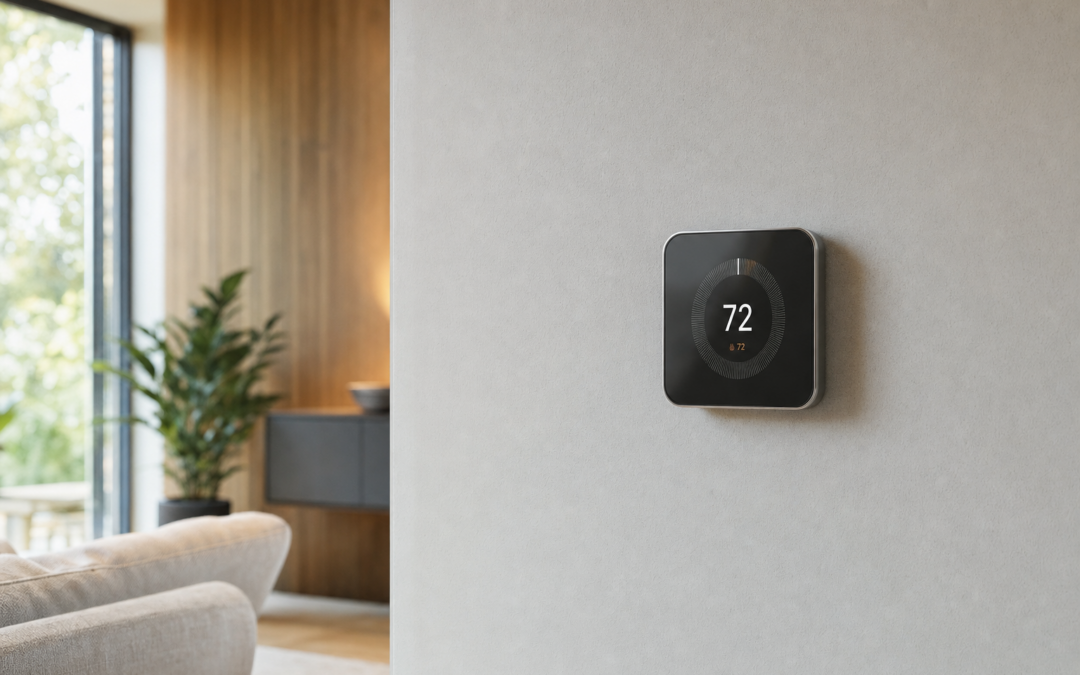
A smart thermostat is one of the few home upgrades that can pay for itself in comfort and lower heating and cooling waste—if it matches your wiring, HVAC type, and how your household actually lives. Learning models watch patterns; programmable models follow schedules you set; room sensors fix hot upstairs / cold basement fights. This 2026 guide compares Nest and ecobee paths, C‑wire realities, and sensor add‑ons so you buy once and install cleanly.
Browse the broader category in our Smart Home hub. Lighting often comes next: pair climate control with reliable wall controls from our guide to the best smart light switches for 2026, or start simpler with smart bulbs and starter kits if you are not ready to open switch boxes.
Learning vs Programmable: What Changes Day to Day
Learning thermostats build a schedule from your manual adjustments and occupancy clues. They shine for households with repeating weekday patterns and patience during the first week or two. Programmable Wi‑Fi thermostats let you set explicit wake, leave, return, and sleep setpoints—better when shifts are irregular, multiple people override constantly, or you want transparent schedules you can audit.
Neither style replaces a healthy HVAC system. A smart thermostat on a failing blower or undersized return cannot invent efficiency. Think of it as a better brain for equipment you already trust—or a diagnostic window into runtime that reveals filters and duct problems sooner.
- Learning: fewer taps after setup, opaque schedule at first
- Programmable: clear blocks, easy guest-house schedules
- Geofencing: phone location adjusts setbacks when everyone leaves
- Room sensors: average or prioritize occupied rooms
- Voice and routines: useful, not a substitute for solid defaults
C‑Wire, Power Extenders, and Compatibility Checks
Most modern smart thermostats prefer a common (C) wire for steady power. Many homes have it unused behind the wall plate; others need a power extender kit, adapter, or a short professional run. Furnaces, heat pumps, dual fuel, and multi‑stage systems each have wiring quirks—use the manufacturer compatibility checker with photos of your existing terminals before you peel the old thermostat off.
Label every wire. Photograph the old terminal block. If you see jumpers, odd colors, or a heat pump O/B wire, do not guess. A wrong reconnect can short a control board—an expensive “DIY save.”
Battery backup in some models bridges brief outages, but chronic power complaints usually mean the C‑wire plan was incomplete. Fix power first; then chase Wi‑Fi.

ecobee Smart Thermostat Enhanced, Programmable Wifi Thermostat — The ecobee Smart Thermostat Enhanced is a strong programmable Wi‑Fi pick with occupancy features and broad system compatibility checks—confirm C‑wire or Power Extender Kit needs against your furnace board before you order.
Nest Learning Plus Sensors: When the House Fights Itself
Open floor plans, two‑story homes, and bonus rooms over garages create temperature wars. A single hallway thermostat lies about the bedrooms. Nest’s learning approach plus add‑on temperature sensors lets you prioritize rooms on a schedule—cool the sleeping floor at night, then balance the main level by day.
Place sensors out of direct sun, away from supply registers, and not above lamps. One sensor in a chronically wrong room teaches you more than three sensors in already comfortable spaces.

Google Nest Learning Thermostat (4th gen) + Nest Temperature Sensor (2nd gen) — Google Nest Learning Thermostat (4th gen) bundled with a Nest Temperature Sensor suits households that want adaptive scheduling plus a targeted room reading—verify Heat Link / system compatibility for your region and wiring photo set.
Door, Window, and Occupancy Sensors Beyond HVAC
Some ecosystems extend sensors to doors and windows for security-adjacent alerts and smarter conditioning—no point blasting AC with a patio door cracked all afternoon. Used thoughtfully, contact sensors reduce wasted runtime; used poorly, they spam notifications until you mute everything.
Start with the one door everyone forgets. Tune alert thresholds. Integrate with thermostat eco modes only after the alert habit feels useful, not noisy.

ecobee Smart Sensor for Doors & Windows for Home Security — ecobee Smart Sensors for doors and windows extend the same ecosystem toward open/close awareness—useful when you want HVAC and security-minded alerts without bolting on a separate sensor brand on day one.
App Ecosystems and Household Buy-In
Pick the app your household will actually open. Nest sits naturally with Google accounts; ecobee plays well across Alexa, Google, and Apple Home paths depending on model. Shared homes need shared access without sharing the primary email password—use proper multi-user invites.
Avoid stacking five climate apps. One thermostat brand plus consistent lighting controls (see our smart switch guide) beats a junk drawer of overlapping automations.
Document the Wi‑Fi network (prefer stable 2.4 GHz IoT SSIDs), the HVAC filter size, and the breaker that feeds the air handler. Future you—or a technician—will thank present you.
Install Walkthrough That Avoids Board Damage
1. Run the compatibility checker and confirm C‑wire plan. 2. Power down the furnace/air handler at the breaker. 3. Remove the old faceplate; photograph terminals. 4. Label wires with the included stickers. 5. Mount the new backplate level; connect terminals per the app guide. 6. Restore power and complete setup on 2.4 GHz Wi‑Fi. 7. Run heat and cool tests for several minutes each; listen for abnormal short cycling. 8. Place any room sensors and set priority schedules.
If the system will not start, power down again and recheck wiring before repeated resets. Persistent faults deserve a technician with a multimeter, not more app toggles.
Energy Savings Without Freezing Anyone Out
Aggressive setbacks save energy until someone rebels and holds 72°F forever. Milder setbacks with occupancy sensing often stick better. Focus on runtime you can see in the app—long cool cycles on mild days can mean dirty filters or low refrigerant, not a “dumb” thermostat.
Ceiling fans, sealed returns, and closed unused rooms still matter. The thermostat is not a magic efficiency module; it is a schedule and sensor platform.
Mistakes That Cause Service Calls
Skipping the compatibility check bricks evenings. Guessing wire colors without terminal photos invites board damage. Mounting sensors in sunbeams falsifies averages. Starving Wi‑Fi in metal closets drops schedules. Ignoring short cycling after install hides real HVAC faults. Buying a second ecosystem for bulbs and plugs when your lighting plan is unsettled—align with our smart bulb starter kit guide so climate and lighting do not fight your phone.
Habits That Keep Smart Devices Reliable
Update firmware quarterly. Replace camera and doorbell batteries on a calendar, not when the app screams at midnight. Wipe outdoor lenses seasonally so false alerts do not train you to ignore real ones. Replace HVAC filters on the thermostat’s reminder cadence, and recalibrate schedules after daylight-saving shifts or new work-from-home patterns.
Twice a year, walk the house: confirm thermostats still call heat and cool, test garage auto-close with the photoelectric sensors unobstructed, and verify backup Wi‑Fi coverage where cameras live. Label breakers that feed transformers and hubs.
Seasonal stress tests matter—summer HVAC demand, winter low batteries, holiday guest networks. Fix flaky 2.4 GHz coverage before you add another battery camera that drops offline every evening.
Safety, Power, and Know-Your-Limits
Kill power at the breaker before you open thermostat, switch, doorbell transformer, or garage controller wiring. Verify with a non-contact tester. Battery cameras and plugs still need safe mounting—ladders on uneven driveways and attic crawl spaces cause more injuries than Wi‑Fi ever will.
Do not defeat safety sensors on garage doors, skip GFCI where code requires it, or overload circuits with daisy-chained power strips feeding hubs and chargers. If you smell burning plastic, see scorched insulation, or your HVAC control board looks unfamiliar, stop and hire a licensed electrician or HVAC technician.
Smart home gear sits on your network. Use unique passwords, keep firmware updated, and segregate IoT devices on a guest or IoT VLAN when your router supports it. Convenience should never mean an unlocked digital front door.
Buying Checklist
- Photograph existing thermostat terminals
- Run brand compatibility checkers for your system type
- Confirm C‑wire or approved power kit
- Decide learning vs explicit schedules
- Plan room sensors for problem floors
- Verify 2.4 GHz Wi‑Fi near the furnace closet
- Align app ecosystem with phones already in the house
- Budget professional help for heat pumps and dual fuel if unsure
FAQ: Smart Thermostats
Do I need a C‑wire?
Often yes for reliable power. Many kits include extenders—confirm before checkout.
Will a smart thermostat work with a heat pump?
Many do, but O/B and auxiliary heat settings must be correct—use the checker and install guide carefully.
How many room sensors do I need?
Start with one in the worst room; add more only if you still chase hotspots.
Can I install it myself?
Yes if wiring is straightforward and you power down safely; hire help for unfamiliar boards or dual-fuel setups.
What about privacy?
Review cloud features, use strong account security, and disable data sharing options you do not need.
Next Steps
Match wiring and household schedules first, brand aesthetics second. Compare the ecobee and Nest options above, then continue through doorbells, cameras, and starter kits in our Smart Home hub. A good thermostat disappears into comfort: fewer arguments about the upstairs, fewer surprise utility spikes, and clear app history when something feels off.
Keep the old thermostat until the new one survives a full heat and cool week. Save wiring photos and the compatibility report PDF.
When you are ready to make evenings feel finished, add lighting controls with our smart light switch guide so “I’m home” routines adjust climate and lights together without five different remotes.
Photograph the model number on the furnace data plate too. Future sensor expansions and professional service calls go faster with that scrap of text in your phone album.
Practical Notes for Best Smart Thermostats for Comfort and Energy Savings (2026)
Keep receipts, warranty info, and a phone photo of model numbers in a home maintenance album. When a thermostat, doorbell, camera, or garage controller needs support years later, identity beats guesswork. Schedule a seasonal reminder to update firmware, replace batteries, and confirm Wi‑Fi nodes still cover porches and garages.
If you share the home with guests or renters, label breakers that feed transformers and hubs, and leave a one-page tip sheet: which app controls lights, how to stop a garage door, and when to call an electrician instead of forcing a switch box. Clear instructions prevent panicked mistakes.
Choose listed devices and quality mounts over mystery-bin adapters. Compatibility mistakes and skipped safety sensors cost more than the dollars you save.
Practical Notes for Best Smart Thermostats for Comfort and Energy Savings (2026)
Keep receipts, warranty info, and a phone photo of model numbers in a home maintenance album. When a thermostat, doorbell, camera, or garage controller needs support years later, identity beats guesswork. Schedule a seasonal reminder to update firmware, replace batteries, and confirm Wi‑Fi nodes still cover porches and garages.
If you share the home with guests or renters, label breakers that feed transformers and hubs, and leave a one-page tip sheet: which app controls lights, how to stop a garage door, and when to call an electrician instead of forcing a switch box. Clear instructions prevent panicked mistakes.
Choose listed devices and quality mounts over mystery-bin adapters. Compatibility mistakes and skipped safety sensors cost more than the dollars you save.
Practical Notes for Best Smart Thermostats for Comfort and Energy Savings (2026)
Keep receipts, warranty info, and a phone photo of model numbers in a home maintenance album. When a thermostat, doorbell, camera, or garage controller needs support years later, identity beats guesswork. Schedule a seasonal reminder to update firmware, replace batteries, and confirm Wi‑Fi nodes still cover porches and garages.
If you share the home with guests or renters, label breakers that feed transformers and hubs, and leave a one-page tip sheet: which app controls lights, how to stop a garage door, and when to call an electrician instead of forcing a switch box. Clear instructions prevent panicked mistakes.
Choose listed devices and quality mounts over mystery-bin adapters. Compatibility mistakes and skipped safety sensors cost more than the dollars you save.
Practical Notes for Best Smart Thermostats for Comfort and Energy Savings (2026)
Keep receipts, warranty info, and a phone photo of model numbers in a home maintenance album. When a thermostat, doorbell, camera, or garage controller needs support years later, identity beats guesswork. Schedule a seasonal reminder to update firmware, replace batteries, and confirm Wi‑Fi nodes still cover porches and garages.
If you share the home with guests or renters, label breakers that feed transformers and hubs, and leave a one-page tip sheet: which app controls lights, how to stop a garage door, and when to call an electrician instead of forcing a switch box. Clear instructions prevent panicked mistakes.
Choose listed devices and quality mounts over mystery-bin adapters. Compatibility mistakes and skipped safety sensors cost more than the dollars you save.
Practical Notes for Best Smart Thermostats for Comfort and Energy Savings (2026)
Keep receipts, warranty info, and a phone photo of model numbers in a home maintenance album. When a thermostat, doorbell, camera, or garage controller needs support years later, identity beats guesswork. Schedule a seasonal reminder to update firmware, replace batteries, and confirm Wi‑Fi nodes still cover porches and garages.
If you share the home with guests or renters, label breakers that feed transformers and hubs, and leave a one-page tip sheet: which app controls lights, how to stop a garage door, and when to call an electrician instead of forcing a switch box. Clear instructions prevent panicked mistakes.
Choose listed devices and quality mounts over mystery-bin adapters. Compatibility mistakes and skipped safety sensors cost more than the dollars you save.
Practical Notes for Best Smart Thermostats for Comfort and Energy Savings (2026)
Keep receipts, warranty info, and a phone photo of model numbers in a home maintenance album. When a thermostat, doorbell, camera, or garage controller needs support years later, identity beats guesswork. Schedule a seasonal reminder to update firmware, replace batteries, and confirm Wi‑Fi nodes still cover porches and garages.
If you share the home with guests or renters, label breakers that feed transformers and hubs, and leave a one-page tip sheet: which app controls lights, how to stop a garage door, and when to call an electrician instead of forcing a switch box. Clear instructions prevent panicked mistakes.
Choose listed devices and quality mounts over mystery-bin adapters. Compatibility mistakes and skipped safety sensors cost more than the dollars you save.