
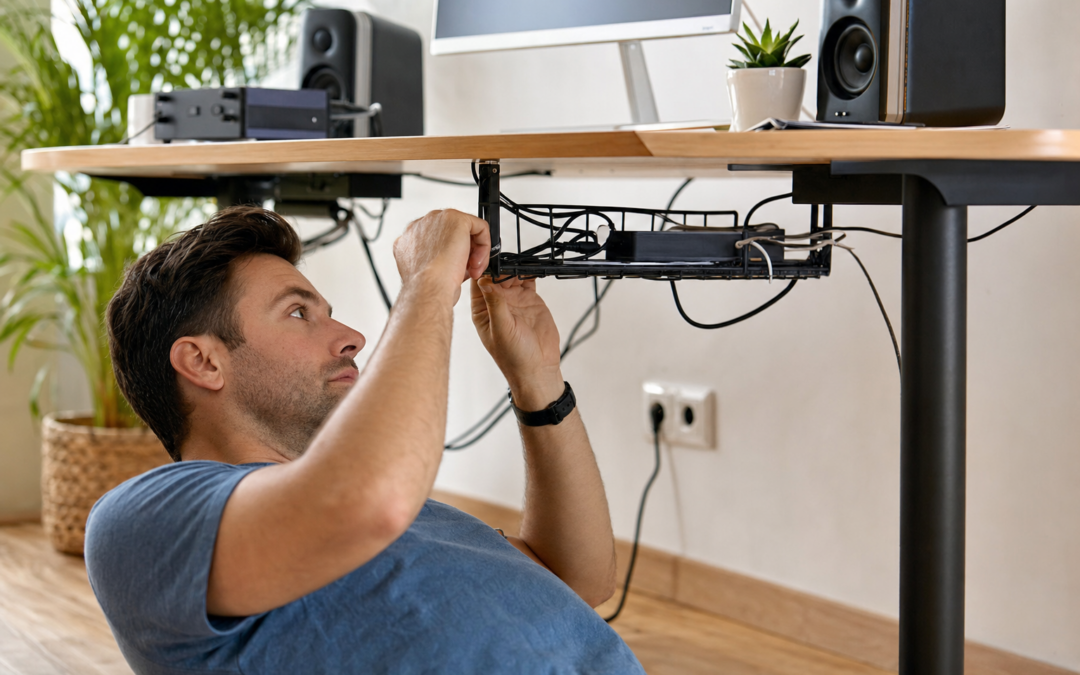
Whether you’re setting up a dedicated home office or trying to keep your living room media center tidy, cable management is one of the most overlooked aspects of organizing a modern space. Tangled wires are not only unsightly but can also be a tripping hazard, collect dust, and make troubleshooting electronics much more difficult. Fortunately, with a few strategic tools and techniques, you can transform your workspace or entertainment area into a streamlined and efficient environment.
From simple cable clips to full-blown raceway systems, the right approach to cable organization depends on your setup, your needs, and your willingness to do a bit of hands-on work. In this guide, we’ll break down practical cable management tips, recommend key products, and teach you how to get the most out of your home office or media center—while keeping everything looking sharp and working safely.
Why Cable Management Matters
Good cable management isn’t just about aesthetics—it’s also about safety, longevity, and efficiency. Unruly cords can lead to accidental unplugging, signal interference, and even fire hazards if power cables are bent or pinched. Plus, a tangle of wires makes it much harder to swap out equipment, clean surfaces, or move furniture around. Well-managed cables reduce clutter, making your space feel larger and more professional, and can even extend the life of your devices by preventing stress on connectors.
Assessing Your Space and Needs
Before you start, take inventory of your devices and where they’re located. Are you organizing a home office with a computer, printer, and router? Or a media center with a TV, game consoles, and streaming devices? Consider:
- Device placement: Group devices that connect together close to each other to minimize cable runs.
- Power sources: Position surge protectors or power strips where plugs are easily accessible but not visible.
- Cable types: Note which cables are power, data (HDMI, USB, Ethernet), or audio—some may need special routing or shielding.
Sketch a quick diagram if it helps. Planning ahead will save time and prevent unnecessary holes in the wall or furniture rearranging later.
Essential Tools and Supplies for Cable Management
Gathering the right supplies can make all the difference. Here are some of the most common cable management tools worth considering:
- Cable raceways: Plastic or metal channels that hide and protect cables along walls or under desks.
- Cable clips and adhesive mounts: Small holders that stick to surfaces and guide cables along set paths.
- Velcro or reusable cable ties: Secure bundles without damaging cables or making adjustments difficult later.
- Under-desk trays: Keep power strips and excess cable lengths off the floor and out of sight.
- Labeling supplies: Label both ends of each cable to make future troubleshooting simple.
For a comprehensive breakdown of power tools and accessories that can help with installation, check out our complete guide to power tools.
How to Plan and Route Cables Effectively
Begin by unplugging everything and detangling your cables. Lay them out so you can see which device each belongs to. Start by plugging in the longest, most immobile devices first—typically monitors, TVs, or desktop towers. Then, route cables along walls, under desks, or behind furniture, using raceways or adhesive clips to keep them in place.
- Keep cables parallel: Try to run cables in parallel lines along walls or furniture edges for a neat look.
- Minimize crossing: Avoid having cables cross over each other, which creates tangles and complicates future changes.
- Leave slack for movement: Especially for sit/stand desks, provide enough slack so that cables aren’t stressed when the desk moves.
Once routed, use Velcro ties to bundle any excess length, and tuck these bundles out of sight—behind monitors or inside under-desk trays.
Choosing and Installing Cable Raceways
Cable raceways are especially useful for running wires along walls or behind entertainment centers where open cable runs would be visible. Choose a raceway size that fits the number and thickness of your cables. Some have adhesive backing for tool-free installation, while others may need screws for a more secure hold.
- Measure and cut: Use a tape measure to determine the length you need, then cut the raceway with a handsaw or heavy-duty scissors.
- Mount securely: Clean the wall surface before applying adhesive-backed raceways to ensure a firm hold. For heavier loads, use screws or wall anchors.
- Use corners and connectors: Many raceway systems include corner pieces and T-connectors for clean turns and splits.
After installation, snap the raceway closed for a seamless look. Paintable raceways can be color-matched to your walls for added discretion.
Creative Ways to Hide Cables Using Shelving and Furniture
Furniture and shelving can double as cable management tools, especially in multi-purpose rooms. Floating shelves, for example, can both hold devices and hide wires running behind them. Similarly, entertainment centers with built-in cable cutouts make routing easier and less visible.
Consider mounting your power strip to the underside of a desk or behind a TV stand. Use zip ties or cable sleeves to bundle cords along the furniture’s back edge, keeping everything out of sight but accessible when needed.

AMADA HOMEFURNISHING Floating Shelves Review — A AMADA HOMEFURNISHING pick in Floating Shelves that focuses on real-world usability Key figures include 5.5, 15.7, 1.2.
Floating shelves are particularly good for small devices like routers, smart speakers, or streaming boxes. By placing these on a shelf and running cables behind or through a drilled hole, you can keep surfaces clean and cords invisible.
Under-Desk Cable Management for Home Offices
A cluttered desk can sap productivity and create stress. Under-desk cable trays or baskets are ideal for collecting power strips, adapters, and loose cable lengths. Most attach with screws or strong adhesive strips, and some include built-in clips or straps for extra security.
- Mount trays toward the rear of the desk: This keeps cables away from your legs and leaves more room for your feet.
- Bundle cables before placing in the tray: Use Velcro ties to keep similar cables together, making future changes easier.
- Label power adapters: Especially if you have multiple similar-looking bricks for monitors or laptops, labels save time and confusion.
For sit/stand desks, consider a cable management kit with flexible sleeves or chains that move with the desk, preventing cables from stretching or snagging as the height changes.
Tips for Taming Media Center Cables
Media centers often have the highest cable density, with TVs, soundbars, game consoles, streaming devices, and power strips all sharing space. Here’s how to keep it all organized:
- Label every cable: Use pre-printed cable labels or masking tape and a marker to identify each one.
- Bundle by device: Group all cables for a single device together using Velcro or zip ties.
- Use split cable sleeves: These allow you to combine several cables into a single, flexible tube, making runs behind furniture much neater.
- Leverage furniture backs: Use adhesive cable clips on the back of your TV stand to keep cables running in straight, flat lines.
If you need additional storage for your devices or want to further minimize clutter, floating shelves can provide a sleek, modern solution.

BAYKA Floating Shelves for Wall Review — A BAYKA pick in Floating Shelves that focuses on real-world usability Key figures include 𝟐𝟐 , 15.7, 6.7.
The Role of Cable Sleeves, Ties, and Clips
These small accessories may seem basic, but they’re key to a flexible and tidy setup. Here’s how to choose and use them:
- Cable ties: Velcro ties are reusable and gentle on cables, making them better for home use than single-use plastic zip ties. Use them to bundle cables by function or destination.
- Cable sleeves: Split neoprene or fabric sleeves can group several cables together, protecting them from abrasion and making moves or cleaning easier.
- Adhesive cable clips: Attach these to the back of desks, shelves, or even monitor stands to route thin cables (like USB or headphone wires) exactly where you want them.
Don’t forget to leave some slack at connection points to prevent accidental unplugging and reduce strain on connectors.
Labeling: The Secret to Long-Term Cable Organization
Even the most organized setup can become confusing when you need to swap out gear or troubleshoot a device. Labeling each cable at both ends—especially in media centers or offices with lots of similar cords—can save hours of frustration down the road.
- Use printable labels or cable tags: These are available at most office supply stores and stick securely to cable jackets.
- Color coding: Colored electrical tape or markers can help distinguish between types of cables at a glance.
- Keep a cable map: For complex setups, draw a simple diagram showing which cable goes where, and keep it in a nearby drawer or taped to the back of your desk.
Revisit your labeling each time you make changes—it only takes a minute but pays off every time you need to trace a wire.
Mounting and Routing Power Strips Safely
Power strips are often the central hub for cable clutter. Mounting them in accessible but hidden spots is one of the best ways to reduce visible mess. Consider these tips:
- Mount under desks or behind furniture: Use screws or strong adhesive strips rated for the strip’s weight.
- Orient outlets for easiest plug access: A sideways or upside-down mount may work best, depending on your plug types.
- Avoid overloading: Never plug high-wattage devices (like space heaters) into a shared strip with sensitive electronics.
With the power strip off the floor, it’s also easier to vacuum or mop underneath, reducing dust accumulation around electronics.
Making Cable Management Work for Your Style
Cable management doesn’t have to mean hiding everything. Some setups, especially in modern or industrial-style spaces, use visible cable runs as a design feature. Consider matching cable raceways or sleeves to your wall color, or even using colored cables or LED strips for a tech-inspired look.
For most, though, the goal is to make cables disappear as much as possible. Floating shelves in matching finishes, under-desk trays, and paintable raceways blend into the background, letting your devices and decor take center stage.

BAYKA Rustic Brown Floating Shelves 22.5in Review — BAYKA floating shelves gear aimed at buyers who want clear specs before they click through. Key figures include 6.7, 22.5, 22 lbs.
When to Call in a Pro
DIY cable management is within reach for most homeowners, but if you’re planning a built-in media wall, running cables inside walls, or dealing with high-power electrical lines, it may be best to consult a licensed electrician or AV installer. Professional help can ensure your installation is up to code, especially for permanent or high-wattage setups.
For basic home offices and media centers, though, most people can achieve a clean, safe, and organized look with a few hours and the right tools.
Maintenance and Keeping It Tidy Over Time
Even the best cable management systems benefit from regular maintenance. As you add or replace devices, take a few minutes to re-bundle, re-label, and check for dust or loose connections. Here’s a simple routine:
- Every 6 months, unplug and dust behind your media center or desk.
- Check for frayed cables or loose ties and replace as needed.
- Update your cable map or labels if you’ve made changes.
With these habits, you’ll keep your space looking and functioning its best for years to come.
Final Thoughts
Effective cable management is all about planning, the right tools, and a bit of creativity. Whether you’re outfitting a work-from-home setup or upgrading your entertainment space, investing in raceways, sleeves, clips, and smart furniture solutions pays off in both aesthetics and functionality. Remember, the key is to adapt your approach as your needs change—cable management isn’t a one-and-done project, but an ongoing part of maintaining a comfortable, efficient home.
For more tips on tools and installation, be sure to explore our other guides on power tools and home upgrades to help you tackle your next project with confidence.
Common Cable Management Mistakes to Avoid
Even with the best intentions, it’s easy to make mistakes that can undermine your cable management efforts. Here are some frequent pitfalls and how to avoid them:
- Over-tightening cable ties: Using zip ties or Velcro straps too tightly can damage cables and restrict airflow. Always leave a little slack to prevent pinching or breaking wires.
- Mixing power and data cables: Running power cords alongside data cables (like HDMI or Ethernet) can cause signal interference. Try to separate them by a few inches whenever possible.
- Neglecting accessibility: Hiding cables too well can make it difficult to add, remove, or troubleshoot devices later. Leave access points or easy-to-remove panels for maintenance.
- Ignoring future upgrades: Failing to plan for new devices means you’ll have to redo your cable management sooner than you think. Leave a bit of extra space or a few spare clips for future needs.
- Not labeling cables: Skipping labels may save time now, but it will make identifying and fixing issues much harder down the road.
- Using low-quality materials: Cheap raceways or adhesive clips may fail over time, causing cables to drop or tangle again. Invest in sturdy, reputable products for long-term results.
By steering clear of these mistakes, you’ll create a cable management system that’s both attractive and functional for years to come.
Cable Management Maintenance Tips
Once your cables are neatly arranged, ongoing maintenance is key to keeping your setup organized and safe. Here’s how to stay on top of things:
- Regular inspections: Every few months, check for loose clips, sagging cables, or signs of wear and tear. Re-secure or replace as needed.
- Dust and clean: Cables and raceways can collect dust, which not only looks unsightly but can attract static or pests. Use a microfiber cloth or duster to clean visible cables and trays.
- Update labels: Whenever you add or remove a device, update your cable labels to reflect the changes. This saves time during troubleshooting and prevents confusion.
- Check for overheating: Ensure that power adapters and surge protectors aren’t covered or overcrowded, as this can cause overheating. Allow adequate ventilation behind furniture and in cable trays.
- Test connections: Periodically test all devices to make sure connections haven’t come loose or degraded. Address flickering monitors or intermittent internet issues promptly—they may be cable-related.
With these simple habits, your cable management solution will continue to serve you well, even as your setup evolves.
Quick Cable Management Checklist
Before you call your project done, run through this checklist to make sure you haven’t missed anything:
- All cables are routed along designated paths, away from foot traffic.
- Power and data cables are separated to minimize interference.
- Excess cable length is bundled and tucked out of sight.
- Labels are attached to both ends of each cable for easy identification.
- Surge protectors or power strips are mounted securely and are easily accessible.
- No cables are pinched, bent sharply, or under tension.
- Raceways, clips, and trays are firmly attached and not overloaded.
- Ventilation is adequate around power bricks and adapters.
- There’s a plan for adding or removing devices in the future.
- Cables and surfaces are free from dust and debris.
Completing this checklist ensures your cable management is both effective and sustainable.
Frequently Asked Questions About Cable Management
Is it safe to bundle power and data cables together?
It’s best to keep power and data cables at least a few inches apart whenever possible. Bundling them together can cause electromagnetic interference, which leads to signal degradation in data cables. Use separate raceways or cable sleeves for each type to ensure optimal performance.
How do I manage cables for a standing desk?
Sit/stand desks require extra slack in cables to accommodate height adjustments. Use a flexible cable sleeve or an under-desk cable tray that moves with the desk. Secure cables at points that won’t stretch or pinch them during movement.
What’s the best way to label cables?
Use pre-printed cable labels or write on masking tape and wrap it around each end of the cable. Color-coded cable tags are also effective, especially for distinguishing between similar-looking wires.
Can I paint over cable raceways?
Many cable raceways are designed to be paintable. Lightly sand the surface, apply a primer if needed, and use wall-matching paint for a seamless appearance. Always check the manufacturer’s instructions before painting.
How do I keep cables hidden with open shelving?
Use adhesive clips or cable sleeves to run cables along the back edge or underside of shelves. For extra concealment, consider using decorative boxes or baskets to hide power strips and adapters.
Are there wireless alternatives to reduce cable clutter?
Yes, wireless keyboards, mice, speakers, and even some HDMI transmitters can significantly cut down on cable needs. However, for devices requiring stable power or high-speed data transfer, cables are still the most reliable option.
What should I do with old or unused cables?
Store spare cables in a labeled box or organizer, coiled neatly with Velcro ties. For cables you no longer need, recycle them at an electronics recycling facility—never throw them in the trash, as they may contain hazardous materials.
Advanced Tips for Power Users
If you have a complex setup—such as a multi-monitor workstation, advanced gaming rig, or high-end home theater—consider these advanced cable management strategies:
- Custom cable lengths: Purchase or make cables that are the exact length needed for your setup. This reduces slack and clutter.
- Cable combs and organizers: Use cable combs to keep individual wires in parallel for a professional look, especially with visible PC builds.
- Modular power strips: Modular or individually switchable power strips let you control specific devices and reduce phantom power draw.
- Integrated furniture solutions: Invest in desks and media consoles with built-in cable management features, such as grommets, channels, or hidden compartments.
- Smart power management: Use smart plugs or Wi-Fi-enabled surge protectors to automate power schedules and monitor energy use.
These techniques can help you achieve a clean, efficient, and future-proof environment for even the most demanding setups.
Our content is researched and drafted with AI assistance and reviewed by our team. Product details come from published specs, manufacturer information and owner reviews.