
If you’re looking to make your home smarter, you’ve probably seen smart plugs and smart switches at the top of most home automation checklists. But when it comes to what you should automate first—plugs or switches—the answer isn’t always obvious. Each option has its own strengths, use cases, and installation quirks. Choosing the right device for your needs can make your upgrade easier, cheaper, and more satisfying in the long run.
In this practical guide, we’ll break down the key differences between smart plugs and smart switches, how each one works, and what types of devices or fixtures they’re best suited for. We’ll also share real-world tips on where to start based on your home’s setup, your comfort with wiring, and your automation goals. By the end, you’ll have a clear idea of which smart solution is worth your time—and money—to automate first.
For more on making your home smarter, check out our smart home essentials hub for practical tips and top product picks.
Understanding Smart Plugs and Smart Switches
Before you decide what to automate, it helps to understand what smart plugs and smart switches do, and how they differ. Both devices let you control power remotely, set schedules, and sometimes monitor energy use. But the way they integrate into your home is very different.
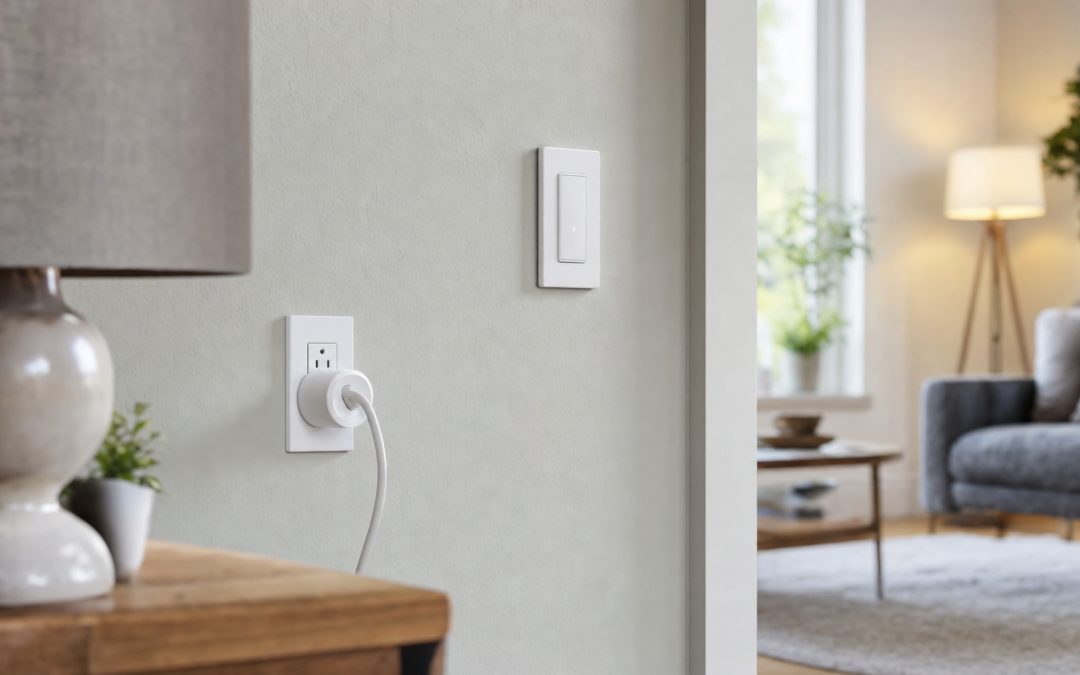
- Smart plugs are external adapters that plug into a standard wall outlet. You plug your device—like a lamp, fan, or coffee maker—into the smart plug, giving you remote control over anything that uses a standard plug.
- Smart switches replace your traditional wall switch. They work with hardwired fixtures, like ceiling lights or fans, and let you control those fixtures with your phone, voice assistant, or automations.
The right choice comes down to what you want to automate, your comfort with DIY installation, and how much flexibility you need.
Where Smart Plugs Shine: Plug-In Devices and Flexibility
Smart plugs are often the easiest entry point for home automation. They’re simple to install—just plug them in and follow the app setup. This makes them ideal for anyone who wants to dip their toe into smart home tech without dealing with wiring or tools.
- Best for: Table lamps, holiday lights, window AC units, space heaters, fans, coffee makers, and other plug-in appliances.
- Pros: No wiring required, easy to move, typically affordable, works in apartments or rentals.
- Cons: Can be bulky, may block adjacent outlets, not suitable for hardwired fixtures.
Smart plugs are also great if you want to move your automation around—just unplug and set up in a new room. If you rent or don’t want to mess with wiring, smart plugs are a low-risk way to start automating.

Kasa Smart Light Switch, Single Pole, Need Neutral Wire, HS200 Review — An editorial look at this Kasa Smart option for light switches — specs first, marketing second. Key figures include 2.4 , 1.5 , 0.33 pounds.
Where Smart Switches Excel: Hardwired Lighting and Built-In Fixtures
Smart switches are designed for controlling hardwired devices—most commonly ceiling lights, but also things like bathroom fans or built-in sconces. They replace your existing wall switch and allow for app, voice, or scheduled control of anything the switch powers.
- Best for: Ceiling lights, chandeliers, outdoor lights, fans, and other fixtures controlled by a wall switch.
- Pros: Clean, built-in look; preserves manual control at the wall; doesn’t require special bulbs; great for controlling entire rooms or zones.
- Cons: Requires wiring and sometimes a neutral wire; not always compatible with multi-way switches; not portable once installed.
If you want to automate lighting that’s used by everyone in the house (not just you), or want a solution that’s always available at the wall, smart switches are often the better choice.

Leviton Decora Smart Switch Anywhere Companion Review — Leviton light switches gear aimed at buyers who want clear specs before they click through. Key figures include 3, 50, 2.8 .
Installation: Smart Plugs vs Smart Switches
One of the biggest differences between smart plugs and switches is installation. Here’s what to expect from each:
- Smart plugs: These are as easy as it gets—plug them into an outlet, connect to WiFi, and you’re done. No wiring, no turning off breakers, and no tools needed. Most models are compatible with Alexa, Google Assistant, and sometimes Apple HomeKit.
- Smart switches: You’ll need to turn off power at the breaker, remove your old switch, and wire in the new smart switch. Many require a neutral wire, which older homes may not have. The process takes 15–30 minutes for most people, but you’ll want to be comfortable with basic electrical work—or hire a pro if you’re not.
If you’re not comfortable with wiring, smart plugs are the safer and faster choice. But if you’re ready to tackle a bit of DIY, smart switches offer a more seamless and permanent solution.
What to Automate First: Room-by-Room Examples
Let’s look at some real-life scenarios to help you decide where to start automating in your home:
- Living Room: If you mostly want to automate table or floor lamps, smart plugs are the way to go. If you want the ceiling lights on schedules or voice control, opt for a smart switch.
- Bedroom: Lamps, fans, and air purifiers work well with smart plugs. If you want to automate overhead lighting or ceiling fans, a smart switch is a better fit.
- Kitchen: Coffee makers, toasters, or under-cabinet lighting can use smart plugs. Hardwired lights or exhaust fans require smart switches.
- Garage/Outdoor: Outdoor string lights and plug-in decorations are best with smart plugs. Wall-controlled garage lights or porch lights benefit from a smart switch.
In general, start with smart plugs for smaller, portable appliances, and smart switches for built-in lighting or fixtures controlled from the wall.

Govee Smart RGB LED Strip Lights 16.4ft Review — An editorial look at this Govee option for led strip lights — specs first, marketing second. Key figures include 16.4ft, 4.84 .
Voice Control and Smart Home Integration
Both smart plugs and smart switches can work with your favorite smart assistants—Alexa, Google Assistant, and sometimes Apple HomeKit. But there are a few differences in how they fit into your routines:
- Smart plugs: Easy to rename and group in your smart home app. You can say, “Alexa, turn on the living room lamp,” or set up routines like “Goodnight” to turn off all plugs in the bedroom.
- Smart switches: Show up as controllable lights or switches in your app. You can group them by room or scene, and use voice commands like “Turn off kitchen lights.” Since they control the circuit, you don’t need to worry about whether you have smart bulbs installed.
Both options can be included in automation routines, but smart switches tend to integrate more cleanly with whole-room or whole-home lighting controls.
Energy Monitoring and Scheduling
One underrated feature of many smart plugs is energy monitoring. Some models can track how much power your device is using, which can help you identify energy hogs or set smarter schedules. For example, you might discover your old space heater is costing more than you thought, or set your coffee maker to only run during certain hours.
Smart switches generally don’t offer detailed energy monitoring, but they excel at scheduling for lighting. Set your porch light to turn on at sunset, or your bedroom lights to gradually brighten in the morning. Both device types allow for scheduling, but smart plugs are better for tracking device-level energy use.
Limitations and Compatibility Concerns
When choosing between smart plugs and switches, it’s important to consider a few compatibility issues:
- Smart plugs: Only work with plug-in devices that turn on automatically when powered (i.e., mechanical switches). Devices that require a button press to start (like some coffee makers or fans) may not work reliably with a smart plug.
- Smart switches: Require compatible wiring (usually a neutral wire) and may not work with certain types of bulbs (dimmable, fluorescent, or low-wattage LEDs). Multi-way switch setups (where more than one switch controls a light) require special smart switches or add-on devices.
Always check the device specs and your home’s wiring before you buy. If you’re unsure, start with smart plugs—they’re less risky and easier to test.
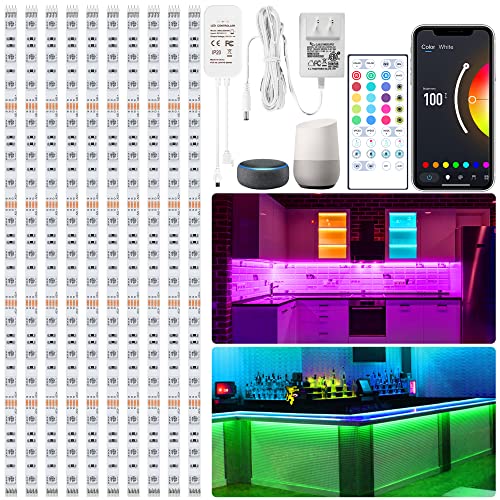
maylit 20in Smart RGB Under Cabinet Lights Kit Review — An editorial look at this maylit option for under-cabinet lights — specs first, marketing second. Key figures include 10 , 20, 10.
Cost Comparison: Which Is More Affordable?
In general, smart plugs are less expensive than smart switches, both in terms of upfront cost and installation. A single smart plug can cost anywhere from $10 to $25, while smart switches typically range from $20 to $50 each. If you need to hire an electrician for switches, that cost goes up further.
However, if you want to automate an entire room’s lighting, a single smart switch can control all the lights on that circuit—potentially saving money compared to buying multiple smart plugs or smart bulbs. For plug-in appliances, though, plugs are the only option.
For most beginners, starting with one or two smart plugs is the most budget-friendly way to test home automation. If you love the experience and want a cleaner, whole-room solution, consider upgrading to smart switches for your most-used areas.
Security and Privacy Considerations
Both smart plugs and switches connect to your home WiFi and typically require an account with the manufacturer’s app. Here are a few best practices for keeping your smart home secure:
- Choose reputable brands with regular security updates.
- Use strong, unique passwords for your smart home accounts.
- Keep your router and all devices updated with the latest firmware.
- Review app permissions and disable remote access if you don’t need it.
There’s little difference in privacy risk between plugs and switches, but as with any connected device, be mindful of what you connect and how you manage your accounts.
Expanding Your Smart Home: Next Steps After Plugs and Switches
Once you’ve automated a few lamps, lights, or appliances with smart plugs and switches, you might be ready to explore other smart home upgrades. Consider adding:
- Smart bulbs: For color-changing or dimmable lighting in lamps and fixtures.
- Smart sensors: Motion or door sensors can trigger lights or plugs based on activity.
- Smart thermostats: Automate your heating and cooling for comfort and energy savings.
- Smart routines: Set up “Good Morning” or “Bedtime” routines that coordinate lights, plugs, and other devices throughout your home.
By starting with the right mix of smart plugs and switches, you’ll have a solid foundation for building out the rest of your smart home—room by room, and device by device.
Final Thoughts: Making the Right Choice for Your Home
There’s no one-size-fits-all answer when it comes to smart plugs vs smart switches. The best device to automate first depends on your specific needs, your home’s wiring, and how you use your space. If you’re new to smart home tech, smart plugs are a safe, flexible, and affordable way to start. If you want a more permanent, seamless solution for your main lighting, smart switches offer more control and integration.
Remember to consider what you want to automate, how much effort you want to put into installation, and your long-term automation goals. With the right approach, you’ll make your home more convenient, efficient, and enjoyable—one smart device at a time.
Smart Plug & Switch Automation Checklist
Before you buy your first smart plug or switch, use this checklist to make sure you’re choosing the right device for your needs and avoiding common surprises:
- Identify what you want to automate. Is it a plug-in lamp, a coffee maker, or a hardwired light fixture?
- Check compatibility. For smart switches, confirm your wall box has a neutral wire (most modern homes do, but older homes may not). For smart plugs, make sure the device you want to automate isn’t too powerful for the plug’s wattage rating.
- Assess Wi-Fi coverage. Both smart plugs and switches rely on Wi-Fi (unless you’re using Zigbee or Z-Wave). Ensure your signal is strong in the intended location.
- Confirm device size. Some smart plugs are bulky and may block adjacent outlets. Measure your space if you need to stack plugs or use a power strip.
- Decide on voice assistant integration. If you use Alexa, Google Assistant, or Apple HomeKit, choose a device that supports your preferred platform.
- Check electrical load requirements. For space heaters, air conditioners, or high-wattage appliances, make sure your smart plug or switch can safely handle the load.
- Plan for physical access. Will you need to press a reset or pairing button on the plug or switch? Is the outlet or switch easy to reach?
- Review app and ecosystem features. Some brands offer better scheduling, energy monitoring, or automation routines than others.
Taking a few minutes to run through this checklist can save you time, money, and frustration later on.
Common Mistakes When Automating With Smart Plugs and Switches
Many smart home beginners make similar mistakes when setting up their first automations. Here are the most frequent pitfalls—and how to avoid them:
- Overloading the device: Plugging in appliances that draw more power than the smart plug or switch is rated for can cause failures or safety hazards. Always check the wattage limits.
- Ignoring device compatibility: Some electronics—like touch lamps or devices with electronic switches—may not turn on automatically when power is restored by a smart plug or switch.
- Skipping the neutral wire check: Many smart switches require a neutral wire. Failing to check your wiring before purchase can lead to wasted time and returns.
- Poor Wi-Fi placement: Smart plugs and switches need a reliable Wi-Fi signal. Installing them too far from your router can result in unreliable performance.
- Forgetting about manual control: Some smart plugs and switches lack a physical on/off button, which can be inconvenient if your phone or voice assistant isn’t handy.
- Not labeling devices: Once you have multiple smart plugs or switches, it’s easy to lose track of what’s what. Use clear names in your app and physical labels if needed.
Avoiding these mistakes will make your smart home experience smoother and more reliable from day one.
Maintaining Your Smart Plugs and Switches
Like any technology, smart plugs and switches benefit from a bit of regular attention to keep them running smoothly. Here’s how to maintain your automations for long-term success:
- Update firmware regularly: Manufacturers often release updates to improve security and add features. Check your device’s app for firmware updates every few months.
- Check connections: Occasionally verify that your devices are still online and responding. If you notice slow response times, try restarting your router or the device itself.
- Inspect for wear and tear: For plugs in high-traffic areas, check for signs of damage or looseness. Replace any device that shows signs of overheating or physical wear.
- Revisit automations: As your needs change, update schedules and routines in the app to reflect your current habits.
- Back up your settings: Some ecosystems (like Alexa or Google Home) let you export or back up routines and device names. Use this feature before making major changes.
Proactive maintenance keeps your smart home reliable and minimizes troubleshooting headaches in the future.
Frequently Asked Questions About Smart Plugs and Switches
Can I use smart plugs and smart switches together?
Yes! Many smart homes use a mix of both. For example, you might use smart switches for your main ceiling lights and smart plugs for lamps or holiday decorations. Most platforms let you control all your devices from a single app or through routines that combine both types.
Do smart plugs and switches work when the internet is down?
Most smart plugs and switches require Wi-Fi and a cloud connection for remote access, but many will still respond to manual on/off commands at the device. Some brands and protocols (like Zigbee or Z-Wave with a local hub) allow for local control even without internet. Check your device’s specs for details.
Will smart switches work with three-way or four-way switches?
Some smart switch models are designed for multi-way circuits, but not all. If you have a three-way setup (where a light is controlled by two switches), look for a smart switch that specifically lists three-way compatibility and follow the manufacturer’s wiring instructions carefully.
Can I use a smart plug for high-power appliances?
Only if the appliance’s wattage is within the smart plug’s rated capacity. Most standard smart plugs are rated for 10-15 amps (about 1200-1800 watts). For space heaters, air conditioners, or other high-draw devices, seek out a heavy-duty smart plug rated for the appropriate load.
Do smart switches require a neutral wire?
Many do, but not all. Some newer models are designed for homes without a neutral wire, but your options will be more limited. Always check your home’s wiring before purchasing a smart switch.
Will my smart plugs and switches still work if I move to a new house?
Smart plugs are portable and can be unplugged and reinstalled easily. Smart switches can be removed and taken with you, but you’ll need to reinstall them in your new home and possibly reconfigure your automations.
Are smart plugs and switches safe?
When installed and used correctly, smart plugs and switches are as safe as traditional outlets and switches. Always follow the manufacturer’s instructions, avoid overloading circuits, and check for certifications like UL or ETL.
Can I control smart plugs and switches away from home?
Yes, as long as your devices are connected to Wi-Fi and your app supports remote access. You can turn devices on or off, adjust schedules, and check status from anywhere with an internet connection.
Final Thoughts: Which Should You Automate First?
There’s no universal answer to whether you should start with smart plugs or smart switches. If you want a quick, no-wiring upgrade for plug-in devices, smart plugs are the easiest and most flexible option. If you’re looking to automate built-in lights or want a clean, integrated look, smart switches are the better long-term investment. Many smart homes benefit from a mix of both, starting small and expanding as your needs and confidence grow. Whichever you choose, following the tips and checklists above will ensure a smooth start to your home automation journey.
Our content is researched and drafted with AI assistance and reviewed by our team. Product details come from published specs, manufacturer information and owner reviews.